The situation
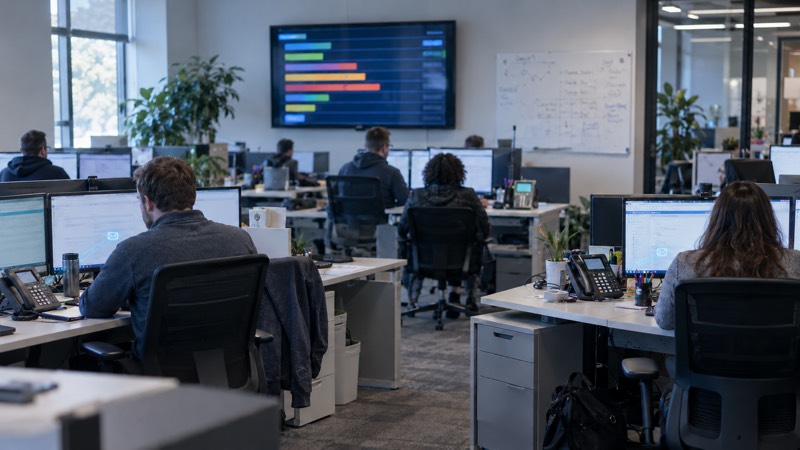
A managed service provider in New York, serving customers across the entire US, came to us with a service desk that was becoming the bottleneck on its own growth. Every incoming support request lands on a first-line (L1) technician to read, categorise and route — work that is necessary, repetitive, and expensive to scale. As the customer base grows, the only obvious lever is more L1 headcount, which is exactly the cost line an MSP wants to keep flat while revenue climbs.
So rather than bolt AI onto an off-the-shelf tool, we're building the MSP a SaaS PSA platform from the ground up — the system every technician logs into to engage with and work tickets — with AI built into how technicians move through that work, not stapled on afterwards.
One of our founders, Andrew Lee, founded and exited a UK managed service provider, so the shape of this problem — ticket queues, L1 load, the gap between a slick tool and an operationally useful one — is familiar territory rather than a brief we had to learn from scratch.
The constraints
A service desk is a live operational system, not a sandbox. Three constraints shaped every decision:
- It has to be trustworthy on day one. Triage that mis-routes tickets or invents answers does more damage than no AI at all. The bar isn't "impressive in a demo" — it's "safe to put in front of real customers and real technicians on a Monday morning".
- It has to scale incoming support without scaling L1. The commercial case is specifically about handling more inbound by triaging, categorising and routing with AI, so the MSP can grow without growing first-line headcount at the same rate.
- It has to fit how technicians actually work — including a back-end project system whose interface is badly dated, and the day-to-day reality of people who live in their tools and on the phone.
This is an active, multi-workstream build under NDA, so the specifics of the client and the stack stay out of this write-up. What follows is the engineering approach.
What we're building
A ground-up PSA platform. The core is a proper professional services automation system — the place technicians go to work tickets — built fresh rather than retrofitted. Building it ourselves is what lets us put AI inside the workflow instead of around the edges of someone else's product.
Real-time AI ticket triage. When a customer submits a ticket, the AI triages it in real time — categorising the request and routing it to the right place — to reduce reliance on L1 staff. This is the part that has to be the most disciplined, so it is strongly guarded: rule-driven, with explicit guardrails, using current methodologies for keeping the model inside its lane. The intent is a material cost saving that lets the MSP scale its support intake, not a clever feature that occasionally embarrasses the business.
A voice-driven front end for projects. The MSP's back-end project system works but its interface is very dated. We've built a full new front end on top of it where users drive projects by voice: dictate and query projects, update statuses, assign tasks to people, create new tasks, and change task dates — all spoken, no clicking through a tired UI. For technicians moving between jobs, voice is simply faster than a form.
An out-of-hours voice agent (in pipeline). Next in the queue is a low-latency AI voice agent to answer the MSP's main support line outside business hours. It understands who is calling, runs security verification, then helps the caller log a ticket and get support — so an after-hours call gets a real, verified response instead of voicemail.
A Microsoft Teams app (in pipeline). We're also building an application deployed inside Microsoft Teams so people can see open tickets, log tickets, and get real-time feedback when teams update a ticket — meeting users where they already work rather than asking them to live in yet another tab.
There are several other workstreams in flight for this MSP alongside these.
Why it's built this way
A few deliberate choices sit under the surface.
Guardrails before cleverness. AI ticket triage only earns its place if it's boringly reliable. We've made the triage rule-driven and tightly guarded on purpose — an MSP's reputation rides on its service desk, and a system that's right most of the time but occasionally confidently wrong is worse than a human queue. The guardrails are the product, not a safety afterthought.
AI inside the workflow, not bolted on. Building the PSA from the ground up is more work than buying one and wiring an assistant into it — but it's the only way the AI sits in the actual path of work. Triage happens at submission. Voice happens where technicians already are. The leverage comes from AI being part of the system, not a chatbot parked next to it.
Meet people where they work. The voice front end, the Teams app and the out-of-hours phone agent all reflect the same view: technicians and customers shouldn't have to come to the tool. The work should reach them through voice, through Teams, through the line they already call.
Low latency is a feature, not a nicety. For a voice agent answering the support line, response speed is the difference between something that feels like help and something that feels like a phone tree. That's why low latency is a named requirement, not a hope.
Outcomes
This is an active, multi-workstream build, so we're going to be honest about status rather than dress up a number. The voice-driven project front end is built. The PSA platform and the real-time AI triage are in delivery. The out-of-hours voice agent and the Microsoft Teams app are in the pipeline, with further workstreams alongside.
The value we're building toward is concrete: handle more incoming support by triaging, categorising and routing with AI, so the MSP can scale without scaling first-line headcount at the same rate — a material saving on the L1 cost line. We'll publish real deflection and cost figures here once they're measured rather than estimated.
Where this goes next
The pattern across all of it is the same one we bring to every build: ship real software on the client's stack in a tight cadence, put guardrails and monitoring around anything customer-facing, and measure it. As the triage, the voice agent and the Teams app come online, each gets evaluated against real tickets before it carries load.
If you run an MSP — or any operation where a queue of incoming requests is quietly capping your growth — the first step is the same. Our AI Readiness Diagnostic is free and carries no obligation: we learn how your service desk actually works, map where AI triage and automation would pay off, and hand you a statement of work, a wireframe and a clear ROI case you keep either way. If you'd like to sanity-check the numbers yourself first, the AI ROI calculator is a sensible place to start. When you're ready, paid work begins at the proof-of-concept stage — and we'll build it on your stack, behind your auth, with the monitoring and on-call to keep it honest in production.
“The system turns fragmented information into structured tickets and usable insight for our helpdesk.”
— MSP Leadership Team